How Laarpi works
Laarpi's agent, SI, asks what matters, writes a brief you can edit, builds the site in front of you, checks its own work, and publishes it. What happens at each step, and what you control.
Laarpi takes a website from a thought to a finished site in one place. You describe the idea. Laarpi's agent, SI, asks the few questions that would change the result, writes a brief you can edit, designs and builds the site while you watch, checks its own work, and publishes it to a laarpi.site address or your own domain.
SI is our name for super intelligence for websites. In plain terms, it is automated software running on AI models from third-party providers. It writes every question, brief and line of code for your site. No person types its replies, and nothing comes from a fixed question list or a fill-in template.
Laarpi is in private beta. This page describes the product as it ships on the date at the top; anything not shipped yet is marked as planned.
The short version
| Step | What you do | What SI does | What you get |
|---|---|---|---|
| Ask | Describe the idea | Asks 0 to 4 questions written for this idea, as cards in the chat | Answers that change the design |
| Brief | Read it, change anything | Writes the plan: concept, story beats, type, colour, layout, motion, 3D, backend | A brief you can edit line by line |
| Build | Watch the preview | Writes the code, sources open-licence assets, looks at screenshots, runs its checks | A working site |
| Direct | Say what to change, or point at it | Edits what you asked for and leaves the rest | A new version; older ones kept |
| Ship | Press Publish | Publishes; connects your domain, Supabase and Polar if you use them | A live site on accounts you own |
1. Ask: only questions that change the site
SI writes its questions for your idea each time. It asks between zero and four, normally in one round, and only where the answer changes what it builds.
For illustration, here is the difference it is told to make, for a ceramics studio:
- A generic question: "Who is your target audience?"
- A question about this idea: "Is this for collectors who already know your work, or restaurants looking for someone to make their tableware?"
The second answer changes the site. Collectors want the story of each piece and a way to buy it. Restaurants want process, capacity and a way to start a commission.
Questions arrive as cards with two to five genuinely different options. Colour questions show real swatches and type questions show real font specimens, so you choose by looking. Any question can be left to SI. If your first message already says enough, it skips the questions.
2. Brief: a plan you can change
Before any code, SI writes the brief and shows it as a card in the chat, set in the site's own palette and display face. It covers:
- The idea and the metaphor, one sentence each. For the ceramics studio: the visitor's scroll is the potter's hands.
- The story, beat by beat: what the visitor sees and learns at each scroll position.
- The centrepiece: what the 3D or motion moment is, how it answers scroll and cursor, and why it serves the story. If type and restraint tell the idea better, the brief says so and the site has no 3D.
- Type with the reasoning, and colour as a hex value for every role, checked for readable contrast.
- Layout and motion: the grid, what moves, how fast and why.
- Backend: sign-in, tables, forms and checkout, when the site needs them.
Open the card and change anything: a colour, a typeface, the order of sections. The next build follows your version.
Two things stop briefs from converging on one answer. SI first draws two creative provocations at random for each build, and at least one of its concepts must use one. Then it develops three distinct concepts privately, through different lenses (a literal metaphor, a material or abstract world, a typographic idea), and picks the strongest.
3. Build: real code, written in front of you
SI writes the site as code a person could have written: semantic HTML with all the real copy in the page, CSS on a token system, and JavaScript modules. It uses established open-source libraries: three.js for real-time 3D, GSAP for motion, Lenis for smooth scrolling. There is no proprietary format between you and the files. The preview updates as files are written.
Assets come from open libraries under CC0, CC-BY or MIT licences, such as Poly Haven and ambientCG for lighting and materials, and each one is listed in the site's credits. When no good asset exists, SI abstracts the subject into light, line or type rather than building a crude stand-in.
SI does not invent facts. Prices, opening hours, addresses, quotes, awards and numbers on your site come from what you wrote or attached; a missing one is left visibly open for you to fill.
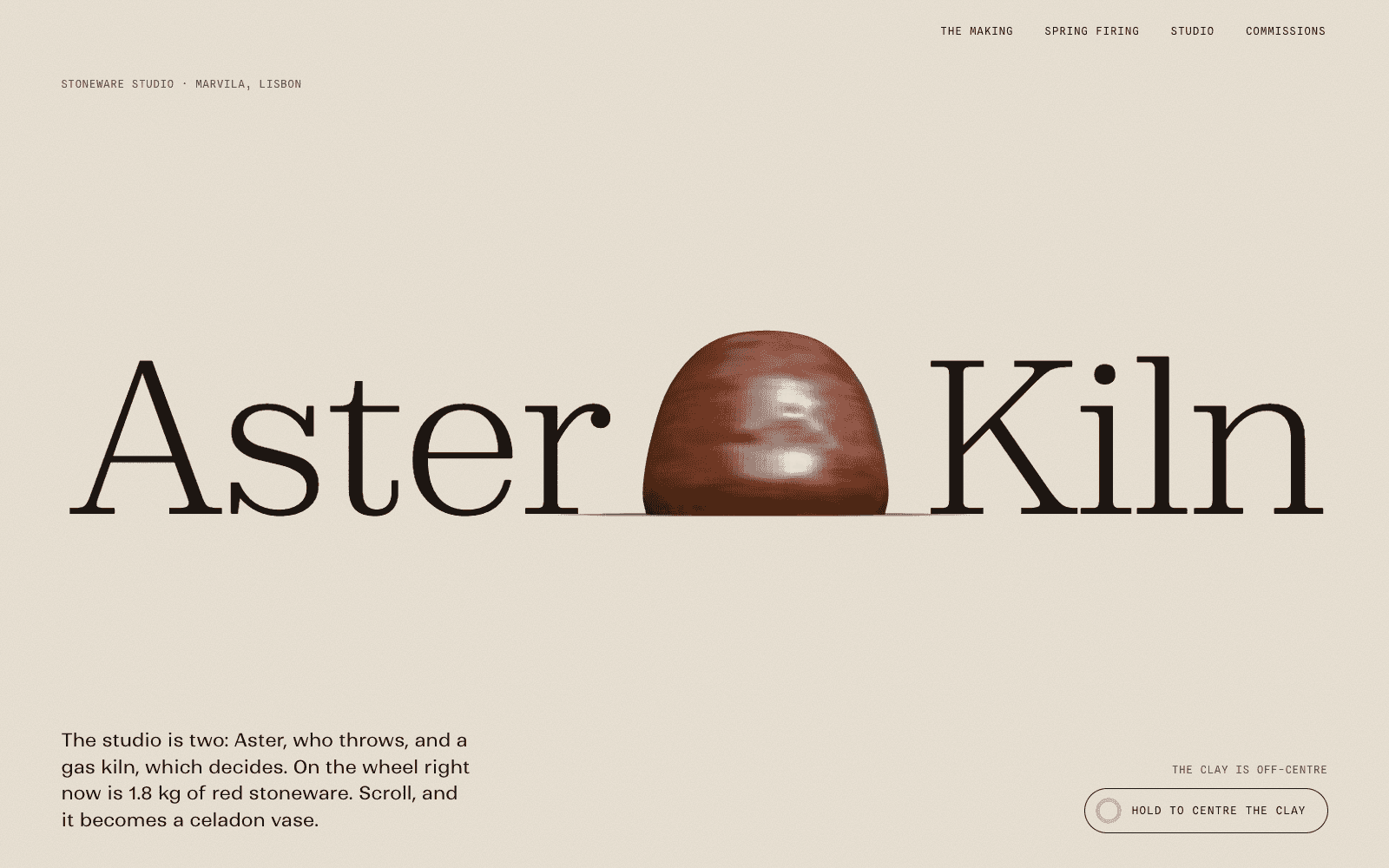
The ceramics idea above exists as a site: in Aster & Kiln, the visitor's scroll centres, pulls, trims, glazes and fires one vase. It is a concept site the Laarpi team made, which shows the kind of scroll story a brief can describe. It is not unedited SI output.
4. Check: SI looks at its own work
Every build ends with SI looking at what it made. It renders the site in a real headless browser, reads the screenshots and runs its checks. It judges the screenshots, not its intentions.
Draft or Finish. You choose before the run, and the studio shows an estimated range of minutes and credits for each, with a cap:
| Draft | Finish | |
|---|---|---|
| What it is | A fast first version to react to | The full process until the checks pass |
| Plans | Every plan | Paid plans |
| Review cycles | None: one look, then broken things fixed | Repeats until every check passes and every review score is 8 or more, up to six cycles |
| Quality checks | Layout, lint and facts checked, first frame timed; the rest is left for a Finish | Every check below, and each must pass |
The checks. A Draft runs the layout, lint and facts checks and fixes what breaks. A Finish runs all of them, and each must pass:
| Check | What fails it |
|---|---|
| Layout at 1920, 1440, 1280, 1024, 768 and 390 px | Text on text, overflow, a headline word split across lines, tap targets under 44 px, contrast under WCAG AA |
| Accessibility | axe WCAG 2.2 AA failures at desktop and phone size, a broken keyboard path, motion with no pause control |
| Phone weight | A cold load on an emulated 4G phone that is too heavy or too slow to its first frame |
| Without JavaScript | Copy that only exists after scripts run |
| Reduced motion | Smooth scrolling left on, a page that keeps moving at rest, or layout problems with motion off |
| Facts | A price, date, number or quote on the page that isn't in your messages or material |
| Lint | Default fonts and colours, hype copy, missing alt text, skipped headings, broken references |
The art-director review. In a Finish, a separate reviewer that did not build the site sees only the brief and the screenshots, and scores eight things from 1 to 10: concept, depth, composition, motion, mobile, reduced motion, craft and originality. It returns concrete fixes, most leverage first. When originality is under 8, the first fix must change the idea or the structure, not the decoration.
Motion that some people can't use is a design failure, not a detail. Accessible motion explains the rules behind the reduced-motion check.
5. Direct: say what to change, or point at it
Once a version exists, you steer it the way you would brief a designer:
- In plain words. "The hero feels timid. Make the headline heavier and let it run off the right edge."
- By pointing. Switch on pick mode, click a heading, an image or a section, and describe the change. SI edits that element and leaves the rest.
- In the code. Open the Code tab beside the preview and edit any file.
Every change becomes a version, and you can go back to an earlier one. Vibe coding a website covers this way of working in more depth.
6. Ship: what publishing does today
Press Publish and the site goes live at its own laarpi.site address. Free sites carry a small "Made with Laarpi" mark. On paid plans you can connect your own domain: the studio shows the DNS records to add and checks them until they resolve.
If the site needs a backend, connect your own accounts:
- Supabase for sign-in, tables and form submissions. See website backend.
- Polar for products and checkout, with Polar as the merchant of record.
The data, the customers and the revenue stay in your accounts.
What it doesn't do yet
- Download the code. Planned. Today you read and edit the code in the studio.
- Place your own photos, documents and logos on the site. In development. Images you attach today are used as references for the design.
- A shared team workspace. Planned.
- Drag-and-drop editing. Not planned. You change the site by talking to SI, by pointing at it, or in the code.
The about page keeps the full list of what ships, with the date it was last checked.
What it costs
Each run is quoted before it starts: an estimated range of minutes and credits, and a cap. You are never charged more than the cap, and a failed run is free. Short answers cost little; a Finish with several review cycles costs more.
Free is $0 a month and includes Drafts and a laarpi.site address. Pro is $25 a month and adds the Finish and custom domains. Credits per plan are on the pricing page.
Where to go next
- See what the 3D can do in the 3D website builder and how motion is planned in animated websites.
- Read the showcase write-ups, each with how the site was made, its open-licence assets and its load time measured on a slow phone profile. These concept sites were made by the Laarpi team with Laarpi's library and process.
- When SI's own builds come out of the private beta, we will publish them unedited, labelled "Built by SI", with the build time and cost from our logs.